
Page context
Safe page hints make support relevant
Review approved answers
Find the product areas users struggle with, see which answers need attention, test critical support paths, and review release impact before users depend on a change.
Safe page hints make support relevant
Approved answers come before fallback
A person approves customer-facing guidance
Widget, hosted help, tickets, and feedback share reviewed knowledge
Where this fits
Founders can start with one support problem, then turn scattered product material, user-facing surfaces, owner control, and support-gap review into one workflow.
Docs, product pages, FAQs, release notes, screenshots, tickets, and repeated replies become setup material.
The widget, hosted help center, FAQ, changelog, and ticket fallback share the same support layer.
Drafts and generated guidance stay review work until the owner approves what becomes official.
Fallback, ratings, feedback, and stale support turn into the next review pass.
What this gives the owner
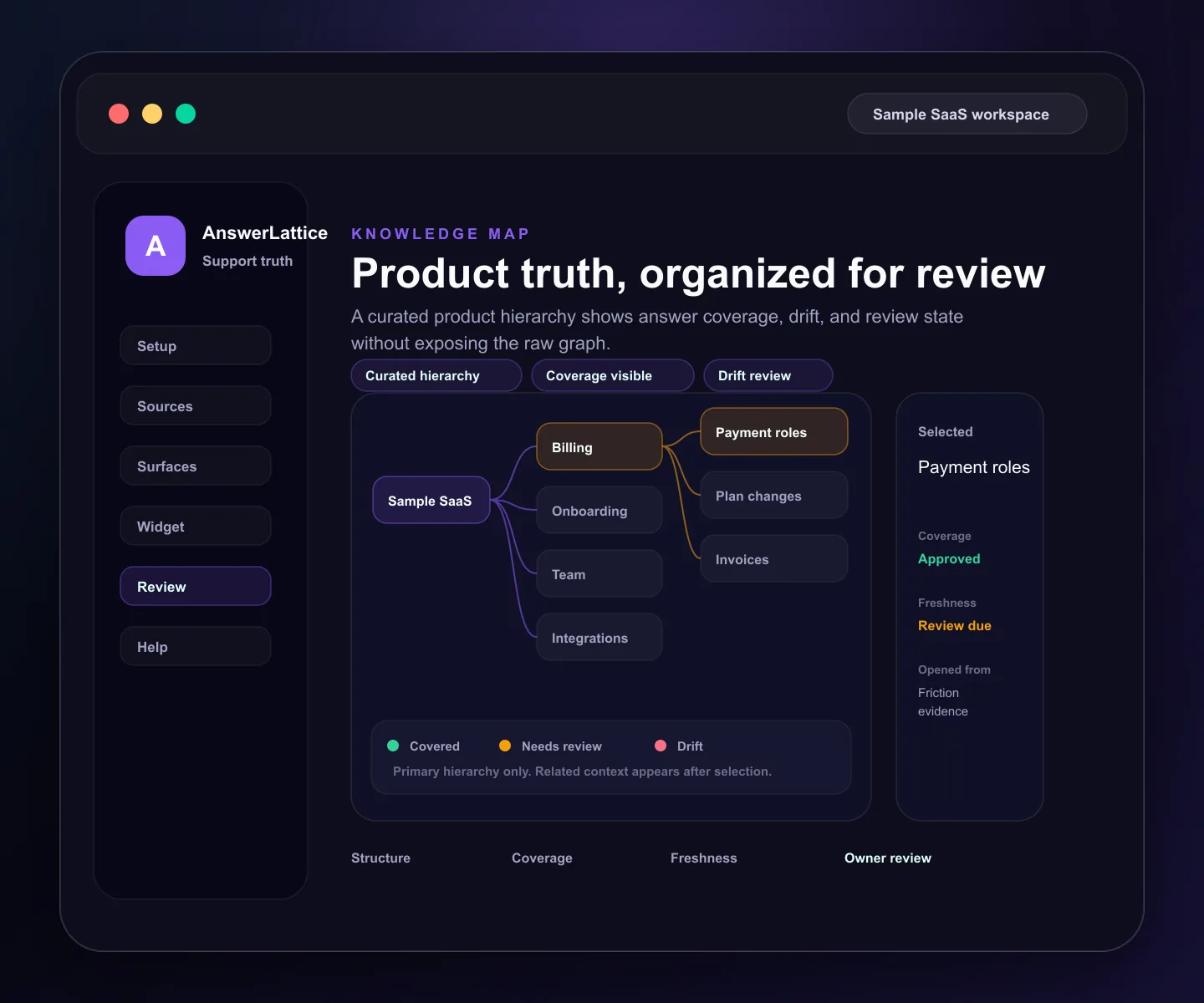
These are focused review views over the same product areas, approved answers, support evidence, releases, and tests. Knowledge Map helps owners make a decision; it is not a raw graph or diagram editor.
01 / Review approved answers
Inspect product relationships, approved-answer coverage, stale guidance, and review state without exposing a raw internal graph.
Safe page hints make support relevant
Approved answers come before fallback
A person approves customer-facing guidance
Widget, hosted help, tickets, and feedback share reviewed knowledge
Compare mapped product areas across completed seven-day windows and open the selected area in Knowledge Map for review.
Draft answers and suggested changes do not become official until a human approves them.
AnswerLattice makes stale answers visible after releases, scope conflicts, or deprecated product behavior.
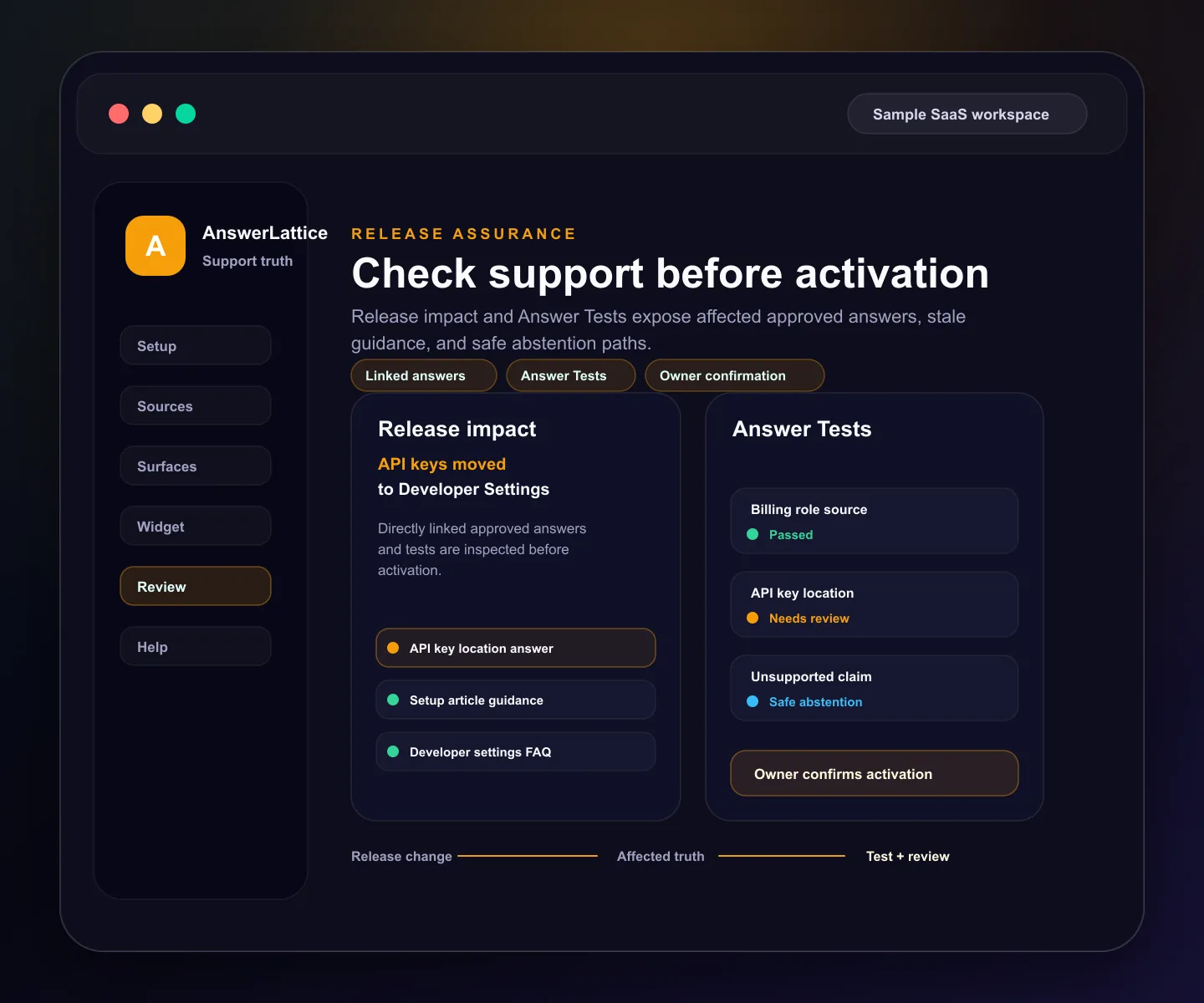
Save critical questions and check expected source, answer, fallback class, evidence, and required or forbidden wording without polluting production support history.
Provider-backed fallback can be tested, but it cannot certify critical guidance. An approved answer or an expected safe abstention path is required.
Review directly linked approved answers and current linked tests before activating a versioned release.
Prepare a prior audited answer version for review without overwriting the live answer or applying a rollback automatically.
Workflow
The owner path keeps context intact: prioritize current work, locate the affected product area, inspect evidence, review the answer, and test the result.
Daily Brief and Product Friction Evidence show the support work that needs attention instead of producing a second task queue.
Friction rows retain the selected product area when the owner opens Knowledge Map.
Review relationships, answer coverage, stale guidance, and the exact product concept that needs attention.
Open the answer editor with validated context, then approve, refine, or reject the change.
Run deterministic approved-answer checks, or a capped full-runtime check when fallback behavior must be verified.
Review directly linked answers and linked tests before a versioned release is activated.
No map, metric, test, or impact preview changes official support automatically.
Before you launch
Remove evaluation doubt with setup, security, and category-fit checks that stay tied to the implemented product.
Check the widget contract, framework guides, safe context rules, and verification path before launch.
Open install guideReview what the widget can see, what stays blocked, and how owner-approved answers become official support.
Review securityCompare AnswerLattice with chatbots, helpdesks, and static knowledge bases before choosing the support layer.
Compare options